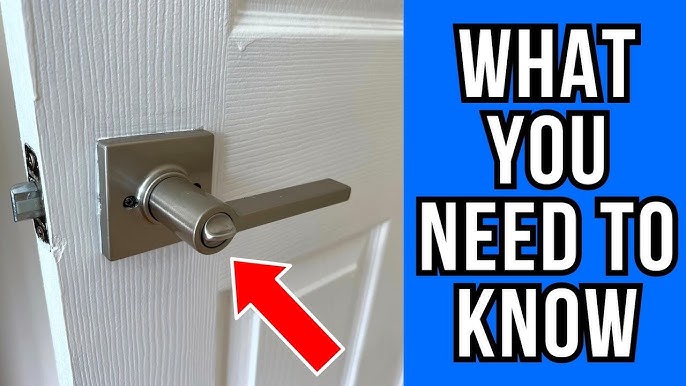
Imagine coming home after a long day only to find yourself locked out because your Kwikset smart lock isn’t cooperating. Frustrating, right?
You might not have the key or even the patience to deal with the hassle. What if you could reset your Kwikset smart lock without a key and regain control effortlessly? You’re not alone in facing this dilemma, and the good news is, there’s a simple solution waiting for you.
Dive into this article, where you’ll uncover the step-by-step process to reset your lock without the need for a key. Say goodbye to lockout stress and hello to peace of mind. Your entryway shouldn’t be a source of anxiety, and by the end of this post, you’ll feel empowered to tackle this common issue with ease. Ready to unlock the secrets? Let’s get started!
Credit: www.locksmithledger.com
Kwikset Smart Lock Basics
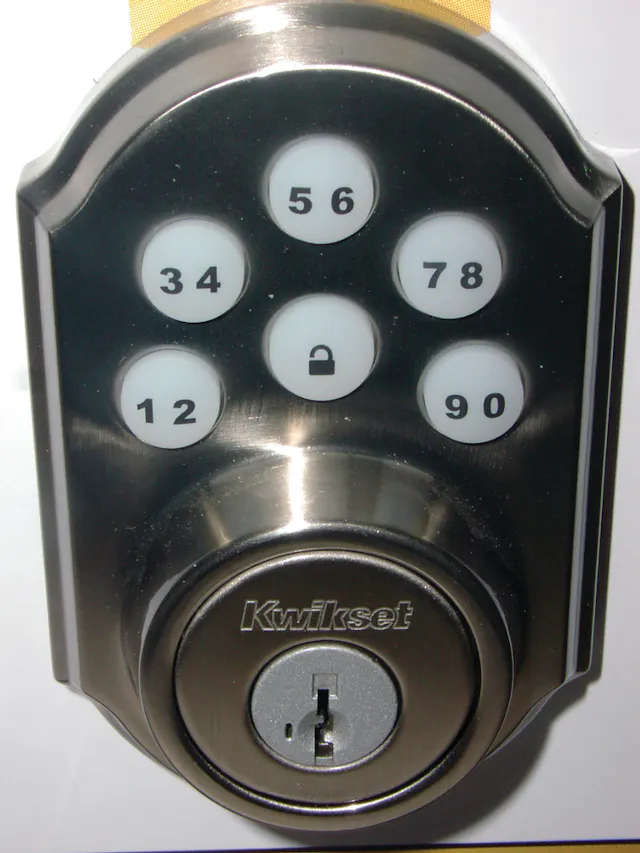
Kwikset Smart Locks have become a staple in modern home security, offering a blend of convenience and safety. These locks allow you to control access to your home without the need for traditional keys. But how exactly do these high-tech locks function, and what should you know to ensure they work seamlessly?
Features Of Kwikset Smart Lock
Kwikset Smart Locks come with a host of features designed to make your life easier. One standout feature is the ability to generate temporary access codes. This means you can easily allow guests or service providers access without handing over a physical key.
Additionally, most models are equipped with Bluetooth or Wi-Fi connectivity, allowing you to control the lock remotely via a smartphone app. Imagine being able to lock or unlock your door from anywhere in the world! This connectivity also facilitates integration with smart home systems like Alexa or Google Home.
Security is paramount, and Kwikset doesn’t disappoint. With SmartKey Security, these locks provide advanced protection against lock picking and bumping. It’s like having a digital guardian for your front door.
Common Issues And Solutions
Despite their many advantages, Kwikset Smart Locks can occasionally run into issues. One common problem is the lock not responding to the app. This can often be solved by checking the Wi-Fi connection or resetting the lock.
Another frequent issue is the battery running out faster than expected. To avoid this, ensure you use high-quality batteries and regularly check their status through the app. It’s a small task that can save you a lot of hassle down the line.
Sometimes, users face difficulties with the lock’s calibration. If the lock isn’t aligning properly, recalibrating it using the app might do the trick. It’s always a good idea to keep the user manual handy for quick reference.
Have you ever faced a technology hiccup that made you question its reliability? With Kwikset Smart Locks, a little troubleshooting can go a long way in ensuring a smooth, secure experience.
Reasons For Resetting
Kwikset Smart Lock reset without a key might be needed for several reasons. Lost keys, security concerns, or malfunctioning lock systems can prompt a reset. This process ensures your lock is ready for new access configurations.
Resetting your Kwikset Smart Lock without a key can be necessary for various reasons. Whether you’re addressing security concerns, dealing with technical glitches, or simply wanting to update user settings, understanding these reasons can help you maintain the optimal functioning of your smart lock. Let’s dive into these compelling reasons.
Security Concerns
Security is paramount when it comes to your home. If you suspect that unauthorized individuals might have access to your lock’s code, resetting it can restore your peace of mind. Imagine returning from a vacation only to realize someone might have a duplicate key or code. Regularly resetting your lock ensures that only those you trust have access. This simple step can deter potential intruders and keep your household safe.
Technical Glitches
Even the most advanced technology isn’t immune to occasional hiccups. Your Kwikset Smart Lock might experience connectivity issues or malfunction due to software bugs. These glitches can affect how your lock responds to commands, causing inconvenience or even locking you out. A reset often resolves these technical issues, restoring your lock’s functionality. Next time your lock acts up, a reset might be the quick fix you need.
User Preferences
Your lifestyle and preferences can change over time. Maybe you want to update who has access to your home or adjust settings for convenience. Resetting your smart lock allows you to reconfigure its settings to match your current needs. Consider a scenario where you’ve just had a new housemate move in. Resetting the lock gives you a fresh start, ensuring everyone has the right access without old codes lingering around. These reasons highlight the importance of being proactive with your Kwikset Smart Lock. What other situations might prompt you to consider a reset?
Preparation For Reset
Resetting a Kwikset Smart Lock without a key involves a few straightforward steps. Begin by removing the lock from your door. Next, press and hold the reset button, usually found on the interior side. This method ensures your lock is ready to be set up anew.
Preparation for Reset Resetting a Kwikset Smart Lock without a key can seem daunting. With the right preparation, it becomes a manageable task. Before diving into the reset process, gather everything you need. This ensures a smooth operation and helps avoid interruptions. Safety is also crucial to prevent mishaps. Let’s explore the steps.
Necessary Tools
To reset your Kwikset Smart Lock, you need specific tools. A small screwdriver is essential for removing the battery cover. You might also need a paper clip to press the reset button. Keep a flashlight handy in case of dim lighting. Ensure all tools are within reach before starting.
Safety Precautions
Safety should be a priority during the reset process. Ensure the area around the lock is clear of obstructions. This prevents accidental trips or falls. Handle tools carefully to avoid injury. If the lock is high up, use a stable ladder. Always turn off the power to avoid electrical shock. Protect your hands with gloves if the tools or parts are sharp.
Step-by-step Reset Guide
Resetting a Kwikset Smart Lock without a key is straightforward. Follow this step-by-step guide to reset your lock efficiently. This process ensures your lock functions smoothly, maintaining security.
Removing The Lock Cover
First, remove the lock cover. Find the screws on the interior side. Use a screwdriver to loosen and remove them. Carefully lift the cover off. This reveals the internal components.
Accessing The Reset Button
Locate the reset button inside the lock. It is usually small and round. Ensure the area is well-lit to find it easily. The button might be near the battery compartment.
Performing The Reset
Press and hold the reset button for several seconds. You might hear a beep or see a light flash. This indicates the reset process is underway. Release the button after the sound or light signal. Your lock is now reset and ready for setup.
Reprogramming The Lock
Resetting a Kwikset Smart Lock without a key is simple. Press the reset button for 10 seconds to restore factory settings. This process helps regain control and ensures security without needing the original key.
Reprogramming the Lock Reprogramming a Kwikset Smart Lock can enhance security. It allows you to set up new access codes without needing a key. This process is straightforward and ensures your lock operates effectively.
Setting Up A New Code
First, locate the program button inside the lock. Press it firmly until you hear a beep. This signals the lock is ready for a new code. Enter your desired code using the keypad. Ensure the code is memorable yet unique. After entering, press the lock button. Listen for two beeps, indicating successful programming.
Testing The Lock Functionality
Always test the new code to confirm it works. Enter the code on the keypad and attempt to unlock the door. If the door unlocks smoothly, the code is set correctly. Testing prevents future issues and ensures reliable functionality. If it doesn’t work, repeat the programming steps.

Credit: www.tiktok.com
Troubleshooting Tips
Resetting your Kwikset Smart Lock without a key can be tricky. Sometimes, the lock may not respond as expected. Knowing some basic troubleshooting tips can help. These tips will guide you through common problems and solutions.
Common Reset Problems
Some users face issues during the reset process. One common problem is the lock not responding. Check the batteries first. Weak batteries can cause issues. Replace them with new ones. Another issue is incorrect button sequences. Follow the reset instructions carefully. Ensure you press the buttons in the right order. This can solve many problems.
Sometimes, the reset button may not work. Dust or debris can block it. Clean the area around the button gently. Use a soft cloth. This might help restore its function.
When To Seek Professional Help
If problems persist, consider professional help. A locksmith can diagnose complex issues. They have the right tools and skills. This ensures your lock works properly. A professional can also help if the lock is physically damaged. Attempting to fix it yourself might worsen the damage.
Professional help is also advisable if you’re unsure about the process. They can provide guidance and ensure the lock is reset correctly. This helps maintain the security and functionality of your smart lock.
Maintaining Your Smart Lock
Resetting your Kwikset smart lock without a key involves a simple process. Begin by removing the lock’s battery cover and the batteries. Press the program button while re-inserting the batteries. This resets the lock to factory settings, allowing you to reprogram it easily.
Maintaining your Kwikset smart lock ensures it operates smoothly and securely. Proper care extends its lifespan, safeguarding your home. Regular checks and updates are key aspects of maintenance.
Regular Maintenance Checks
Regularly inspect your smart lock for signs of wear. Check the physical components, like the keypad and locking mechanism. Ensure screws are tight and parts are aligned. Clean the lock with a soft cloth to remove dust. Avoid using harsh chemicals; they can damage the finish. Listen for unusual sounds during operation. These might indicate a problem needing attention. Address minor issues promptly to prevent major malfunctions.
Software Updates
Software updates are vital for your smart lock’s security. Manufacturers release updates to fix bugs and enhance features. Regularly check for updates via the Kwikset app or website. Install updates promptly to protect against vulnerabilities. Updated software ensures compatibility with new devices. It also improves lock performance and user experience. Set reminders to check for updates monthly. This habit keeps your smart lock functioning optimally and securely.

Credit: m.youtube.com
Frequently Asked Questions
How To Reset Code On Kwikset Door Lock Without Key?
To reset a Kwikset lock without a key, remove the interior back cover. Press the program button until the lock beeps. Enter a new code and press the lock button to finalize. Test the new code to ensure it works.
How To Reset Smart Lock Password Without Key?
First, check the smart lock’s manual for reset instructions. Use the app or manufacturer’s website for guidance. Consider contacting customer support if needed. Always ensure the lock is connected to power and internet during the process.
What Is The Master Reset Code For Kwikset?
Kwikset smart locks do not have a universal master reset code. Consult the user manual or contact Kwikset support for assistance with resetting your specific model. Always ensure security by changing codes regularly and keeping them confidential.
Can You Reset A Kwikset Smartkey?
You can reset a Kwikset SmartKey by using the SmartKey tool. Insert the tool into the keyway, turn it clockwise, and follow the instructions. This process allows you to re-key your lock to work with a new key, ensuring convenience and security.
Conclusion
Resetting a Kwikset smart lock without a key is straightforward. Follow simple steps for a hassle-free reset. This ensures your lock works perfectly again. Refer to the manual for guidance. Regular maintenance keeps your smart lock reliable. Always check for updates and solutions online.
This saves time and prevents issues. A properly reset lock boosts security. Feel confident with a well-functioning smart lock. Stay informed and enjoy peace of mind. Keep your home safe with timely resets. Smart locks offer convenience and security. Make sure yours is always in top condition.


