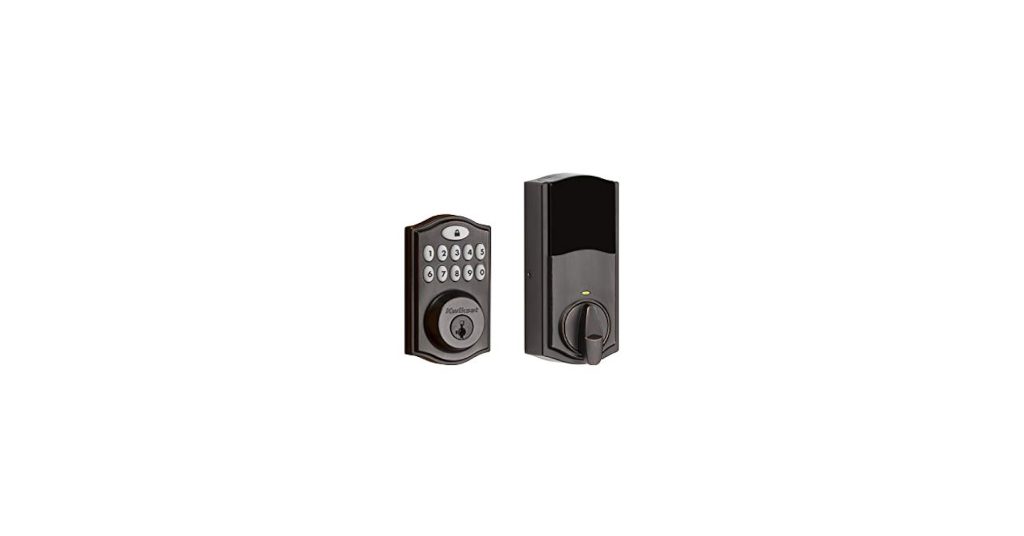
Imagine unlocking your door with just a simple touch. No more fumbling for keys or worrying about losing them.
With the Kwikset 914 Traditional Keypad Smartcode Electronic Deadbolt Smart Lock, security and convenience are at your fingertips. This smart lock transforms your entryway into a seamless experience, offering you peace of mind and effortless access to your home. You can easily program multiple access codes, allowing you to grant entry to family, friends, or trusted guests without compromising security.
Whether you’re upgrading your home or seeking a smarter solution, the Kwikset 914 could be your ideal choice. Discover how this innovative lock can enhance your daily life and bring a new level of ease to your home security.
Kwikset 914 Keypad Features
The Kwikset 914 Traditional Keypad Smartcode Electronic Deadbolt Smart Lock is a remarkable blend of advanced technology and classic design. This smart lock offers a range of features that not only enhance security but also add convenience to your daily life. Let’s dive into the key features that make this smart lock a must-have for any modern home.
Smartcode Technology
The heart of the Kwikset 914 is its Smartcode technology. This feature allows you to program up to 30 user codes for family and guests. Imagine the ease of mind knowing you can grant access to your home without the hassle of spare keys.
Smartcode technology also includes an auto-lock feature, which automatically secures your door after a set period. This ensures your home is always protected, even if you forget to lock up. Such peace of mind is invaluable in today’s fast-paced world.
Traditional Design
The Kwikset 914 doesn’t just focus on functionality; it excels in aesthetics too. Its traditional design seamlessly integrates with most home decors. Whether you have a modern or classic style, this lock complements your aesthetic.
With its polished finish and robust build, it offers both durability and elegance. It’s a lock that not only secures but also enhances the beauty of your front door.
Keypad Functionality
The keypad functionality is straightforward, making it user-friendly for all ages. No more fumbling for keys in the dark—just a few taps and you’re in. Plus, the backlit keypad ensures visibility at night.
Additionally, the lock features a one-touch locking system. This means you can lock your door with a simple press of a button. It’s these small conveniences that make life easier and more secure.
Overall, the Kwikset 914 Traditional Keypad Smartcode Electronic Deadbolt Smart Lock combines the best of technology and design. What feature do you think would make your life easier with this lock? Share your thoughts and see how this smart lock can transform your home security experience.
Installation Guide
Discover the simplicity of setting up the Kwikset 914 Traditional Keypad Smartcode Electronic Deadbolt Smart Lock. Follow easy steps to securely enhance your home. Installation is straightforward, making it ideal for any user seeking reliable security.
Installing the Kwikset 914 Traditional Keypad Smartcode Electronic Deadbolt Smart Lock is a straightforward process that can enhance your home’s security with just a few simple steps. This lock allows you to enjoy the convenience of keyless entry while maintaining the classic aesthetic of traditional locks. In this guide, you’ll find everything you need to know to install your new smart lock effortlessly.
Tools Required
Before you begin, gather the necessary tools to ensure a smooth installation:
- Phillips Head Screwdriver
- Drill (if necessary for new installations)
- Measuring Tape
- Pencil
Having these tools on hand can make the process seamless and prevent unnecessary interruptions. Are there any tools you’re missing? Maybe it’s time for a quick trip to the hardware store!
Step-by-step Process
The installation process is designed to be user-friendly, even if you’re not a DIY expert: 1. Remove Existing Deadbolt: If you’re replacing an old deadbolt, start by unscrewing and removing it from the door. 2. Prepare the Door: Ensure the door is clean and the holes align with the new deadbolt. Use the measuring tape to confirm the dimensions. 3. Install the Latch: Insert the new latch into the door edge, securing it with screws. Make sure the latch face is flush with the door. 4. Attach Exterior Keypad: Align the exterior keypad with the latch and feed the cable through the door. 5. Install Interior Assembly: Connect the cable to the interior assembly, then secure it to the door using screws. 6. Insert Batteries: Open the battery compartment and insert the required batteries, ensuring they are installed correctly. 7. Test the Lock: Enter a user code to test the functionality and ensure smooth operation. Each step brings you closer to a secure and convenient home. Imagine the relief of ditching your keys for good!
Troubleshooting Tips
Encountering issues during installation? Here are some common problems and solutions:
- Keypad Not Lighting Up: Check if the batteries are installed correctly. Replace them if necessary.
- Latch Doesn’t Retract: Ensure the latch is aligned properly and the screws are not overly tightened.
- Difficulty Closing the Door: Verify that the deadbolt aligns with the strike plate on the door frame.
If your lock isn’t functioning as expected, don’t panic. Often, small adjustments can make a big difference. Have you checked all the connections? By following these steps and tips, you’ll transform your entryway into a more secure and convenient access point. The peace of mind that comes with a reliable smart lock is truly priceless.
Enhanced Security Benefits
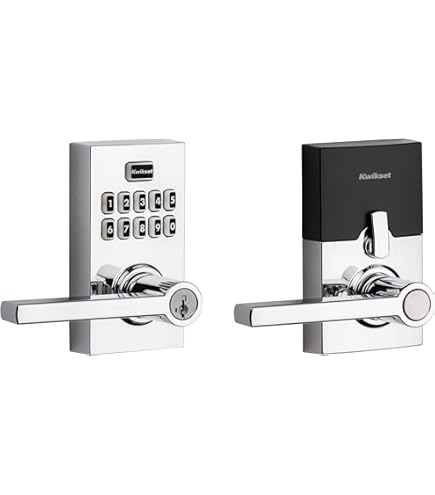
The Kwikset 914 Traditional Keypad Smartcode Electronic Deadbolt Smart Lock offers enhanced security benefits. It provides peace of mind with its advanced features. Enjoy a safer home with keyless entry, user code management, and tamper alerts.
Keyless Entry
Say goodbye to traditional keys. The Kwikset 914 offers a convenient keyless entry system. Enter your home with a simple code. No more fumbling for keys in the dark. The keypad is easy to use and highly secure. This feature reduces the risk of lost keys.
User Code Management
Manage multiple user codes effortlessly. Create unique codes for family members and guests. Up to 30 user codes can be stored. Change or delete codes easily whenever needed. This ensures only trusted individuals have access. You control who enters your home.
Tamper Alerts
Stay informed about any security threats. The Kwikset 914 sends tamper alerts. If someone tries to mess with the lock, you will know. This feature adds an extra layer of security. Protect your home from unauthorized attempts. Feel safer knowing your lock is smart enough to alert you.
Credit: www.amazon.ca
Compatibility And Integration
The Kwikset 914 Traditional Keypad Smartcode Electronic Deadbolt Smart Lock stands out for its seamless compatibility and integration with various smart home systems. It’s not just about securing your home; it’s about enhancing your lifestyle. Imagine a lock that interacts effortlessly with your smart devices, making your daily routines smoother and more secure.
Smart Home Systems
Kwikset 914 is designed to integrate with many popular smart home systems, making it a versatile choice for tech-savvy homeowners. Whether you use Samsung SmartThings, Wink, or any other major platform, this smart lock fits right in. This means you can easily control it alongside your other smart devices, creating a cohesive smart home environment.
App Connectivity
With app connectivity, managing your Kwikset 914 lock becomes incredibly convenient. Through its compatible app, you can lock or unlock your door from anywhere, check the lock status, and even receive notifications of who’s entering your home. It’s like carrying your home’s front door in your pocket, offering peace of mind wherever you go.
Voice Control Options
Voice control is a game-changer, and the Kwikset 914 doesn’t disappoint. It integrates with voice assistants like Amazon Alexa and Google Assistant, allowing you to lock or unlock your door with simple voice commands. Imagine coming home with your hands full and simply saying, “Alexa, lock the front door.” How much easier could it get?
User Experience
The Kwikset 914 Traditional Keypad Smartcode Electronic Deadbolt Smart Lock offers a seamless user experience. Its intuitive design ensures effortless daily interactions. Users appreciate the blend of traditional aesthetics with modern technology. The lock enhances security without compromising convenience.
Ease Of Use
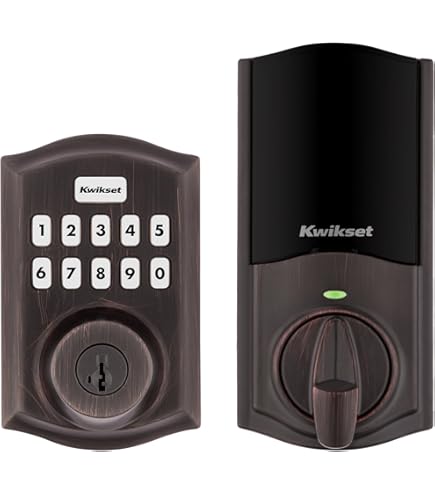
Operating the Kwikset 914 is straightforward. The keypad allows quick entry without searching for keys. Users can easily set up and change codes. The lock functions smoothly, responding quickly to user input. The illuminated keypad aids visibility in low light.
Customizable Settings
Personalizing the Kwikset 914 is simple. Users can program up to 30 unique access codes. This feature is perfect for families and guests. The lock offers auto-lock settings for added security. Adjusting these settings is intuitive through the keypad interface.
Maintenance Requirements
Maintaining the Kwikset 914 is minimal. Regularly check battery levels to ensure functionality. The lock alerts users when batteries are low. Cleaning the keypad maintains its responsiveness. Avoid harsh chemicals to preserve the finish. The deadbolt mechanism is sturdy, requiring little upkeep.
Credit: www.amazon.ca
Comparing With Other Models
Kwikset 914 Traditional Keypad Smartcode Electronic Deadbolt Smart Lock stands out with its user-friendly design and robust security features. Compared to other models, it offers reliable access control with a stylish appearance. Ideal for those seeking a balance between technology and traditional aesthetics.
When you’re in the market for a smart lock, the Kwikset 914 Traditional Keypad Smartcode Electronic Deadbolt stands out as a formidable choice. But how does it stack up against other models? Understanding the nuances in price, features, and security can help you make an informed decision. Let’s dive into what sets the Kwikset 914 apart from its competitors.
Price Points
The cost of smart locks can vary significantly. The Kwikset 914 is priced competitively, offering a robust set of features without breaking the bank. While some high-end models might boast extra bells and whistles, the Kwikset 914 provides great value for money. You might wonder if paying more guarantees better quality. Often, the additional cost in other models goes towards luxury features that you may not necessarily need. By sticking with the Kwikset 914, you get a reliable lock that balances cost and quality effectively.
Feature Differences
The Kwikset 914 focuses on essential features like easy keypad access and smart home integration. It supports both Z-Wave and Zigbee technologies, making it versatile for various smart home setups. Other models might offer features like fingerprint scanning or video integration. While these can be appealing, they also complicate the lock’s operation. If simplicity and efficiency are what you seek, the Kwikset 914 delivers without overwhelming you with unnecessary options.
Security Levels
Security is, without doubt, the most critical factor when choosing a smart lock. The Kwikset 914 offers robust security features, including SmartKey Security, which protects against advanced break-in techniques. Some models might promise military-grade security, but it’s essential to evaluate whether their claims match your needs. The Kwikset 914 provides a high level of security suitable for most homes, ensuring your peace of mind without overpromising. Have you thought about how these features impact your daily life? Consider the convenience and security enhancements you gain with a smart lock. Is the extra investment in other models justified for your home, or does the Kwikset 914 offer just what you need?
Customer Reviews
Customer reviews for the Kwikset 914 Traditional Keypad Smartcode Electronic Deadbolt Smart Lock reveal diverse experiences. Users share both positive feedback and common complaints. Overall, satisfaction varies, providing insights into this smart lock’s performance.
Positive Feedback
Many users appreciate the lock’s convenience. The keypad feature is a favorite. It allows keyless entry, which many find useful. Installation is often described as simple. Users like the added security it provides. The design of the lock also receives praise. It fits well with various home styles.
Common Complaints
Not all reviews are positive. Some users report issues with battery life. The lock sometimes drains batteries quickly. Connectivity problems with smart home systems are noted. A few mention difficulties in programming the lock. Customer service experiences are mixed. Some find it unhelpful or slow.
Overall Satisfaction
Overall, satisfaction with the Kwikset 914 varies. Many find it reliable for daily use. They enjoy the ease of keyless entry. Others face challenges with technical features. For some, the benefits outweigh the drawbacks. It remains a popular choice for those seeking an electronic deadbolt.

Credit: www.amazon.com
Frequently Asked Questions
How Do I Reset My Kwikset Smartcode 914?
To reset your Kwikset Smartcode 914, remove the battery pack. Press and hold the “Program” button. Reinsert the battery pack while still holding the button. Release the “Program” button after 30 seconds. Test the lock to ensure it’s reset.
How Do You Change The 4 Digit Code On A Kwikset Keypad Lock?
Press the “Program” button on the Kwikset lock. Enter the current code. Press “Program” again. Enter the new 4-digit code, then press “Lock” to confirm. Your new code is set.
How To Change Battery On Kwikset Smartcode 914?
To change the battery on Kwikset Smartcode 914, remove the lock’s cover. Replace the old batteries with four new AA batteries. Reattach the cover securely. Test the lock to ensure it functions properly. Regularly check battery life to avoid lock failure.
Why Is My Kwikset Lock Keypad Not Working?
Check battery life; low power can cause keypad issues. Ensure the lock is correctly installed and programmed. Clean the keypad to remove any dirt. Verify if the lock has a factory reset option. Contact Kwikset support for further assistance if the problem persists.
Conclusion
The Kwikset 914 offers security and convenience for your home. Easy to install. Simple to use. It combines traditional design with modern technology. Perfect for families who value safety and style. The keypad allows easy access without keys. Feel safe knowing your door is secure.
Its durable construction ensures long-lasting performance. Affordable and reliable. A great choice for modern households. Enhance your home security today. Smart and practical solution. Enjoy peace of mind with Kwikset 914. Upgrade your door without hassle. Smart lock for smart living.
Ideal for any homeowner seeking security.


