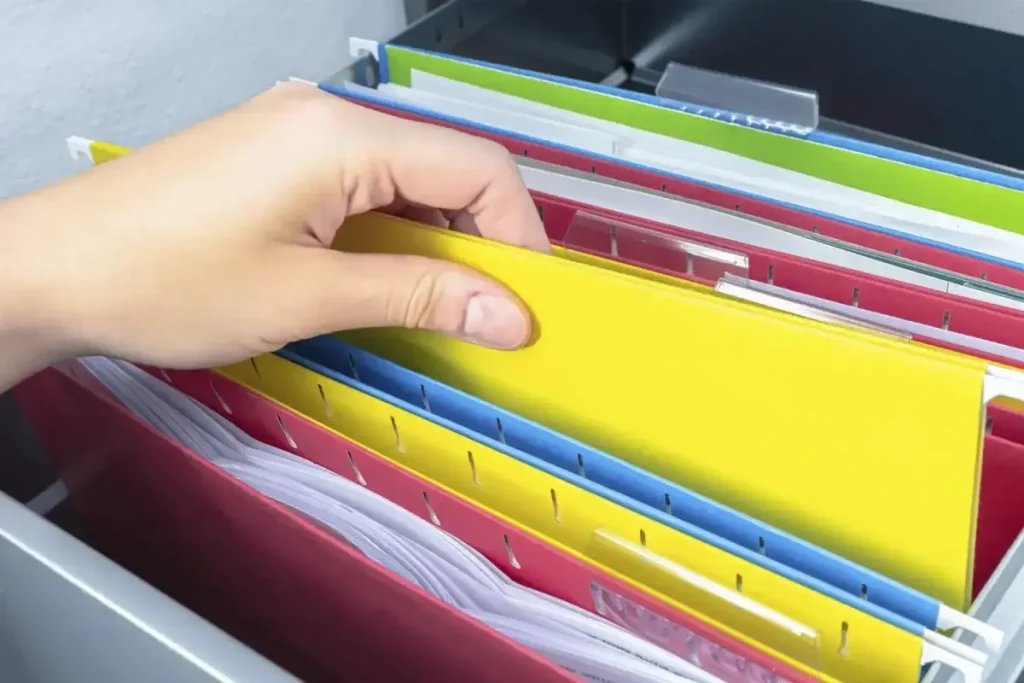
Are you tired of frantically searching for important documents in a cluttered file cabinet? Imagine a world where you can effortlessly find what you need in seconds.
Organizing a file cabinet might seem like a daunting task, but with a few simple strategies, you can transform chaos into order. This article will guide you step by step to create a streamlined system tailored to your needs. Say goodbye to wasted time and frustration, and hello to a more productive you.
Ready to take control of your files? Let’s dive into the secrets of effective file cabinet organization!

Credit: melodypayne.com
Choosing The Right File Cabinet
Organize a file cabinet efficiently by categorizing documents and using labeled folders. Arrange files by frequency of use, ensuring easy access to important papers. Regularly review and purge outdated documents to maintain order and efficiency.
Choosing the right file cabinet is crucial for efficient organization. A well-chosen cabinet can simplify your workflow. It ensures quick access to important documents. Consider the following factors to make an informed decision.Size And Capacity Considerations
Determine the volume of files you have. A small cabinet works for minimal storage needs. For larger collections, opt for a bigger model. Measure your available space before buying. This ensures the cabinet fits without crowding the room. Vertical cabinets save floor space. Lateral cabinets offer more surface area on top. Choose according to your space constraints.Material And Design Options
File cabinets come in various materials. Metal cabinets are durable and fire-resistant. They suit high-security needs. Wooden cabinets add warmth to a room. They blend well with traditional decor. Plastic options are lightweight and affordable. Consider the design style. Modern designs fit contemporary spaces. Traditional styles complement classic interiors. Select a design that matches your office aesthetic.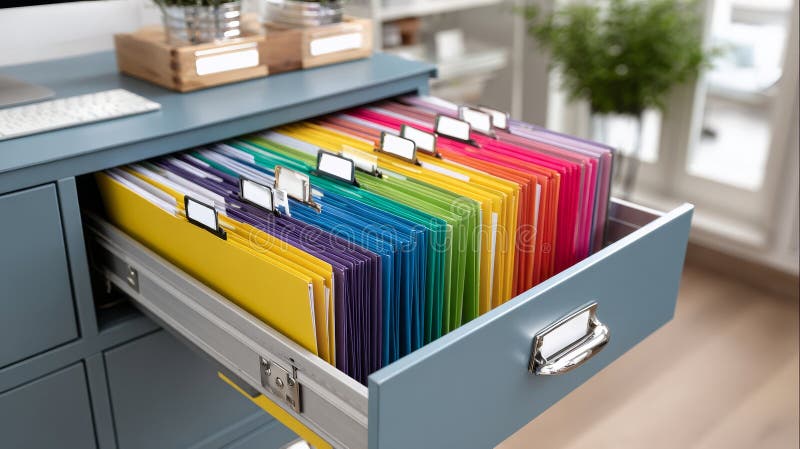
Credit: www.dreamstime.com
Categorizing Documents
Organizing a file cabinet might seem like a mundane task, but categorizing your documents efficiently can transform your workspace and boost productivity. Imagine the ease of finding essential paperwork without sifting through piles of unrelated files. Let’s explore how to categorize your documents effectively, ensuring your file cabinet serves as a reliable resource rather than a cluttered challenge.
Personal Vs Professional Files
One of the first steps in categorizing your documents is to distinguish between personal and professional files. This separation helps streamline your search process and keeps your work and personal life distinct. Use different sections or folders for each category. For personal files, think of bank statements, medical records, or personal correspondence. On the professional side, consider work contracts, business reports, and project documents. This clear distinction minimizes confusion and helps in maintaining focus.
Temporary Vs Permanent Storage
Another crucial aspect of document categorization is understanding the difference between temporary and permanent storage. Temporary files are those you need only for a short period, like current bills or ongoing project notes. Permanent files, on the other hand, are essential records that you may need to access for years, such as tax documents or legal agreements. Having separate sections for temporary and permanent files ensures that your cabinet remains tidy and you don’t waste time sorting through outdated paperwork. Ask yourself: Is this document essential for future reference?
By addressing these categories, you create a file cabinet that not only stores your documents but also supports your efficiency. How do you plan to categorize your files? What systems have worked for you in the past? Share your thoughts and experiences in the comments below!
Labeling System
Organizing a file cabinet can seem daunting. A good labeling system makes this task easier. It helps locate files quickly and keeps everything in order. This system saves time and reduces stress. Let’s explore some effective labeling strategies.
Color Coding Techniques
Color coding makes finding files faster. Assign different colors to categories. For example, use green for financial files, blue for projects, and red for urgent documents. This visual cue helps spot files instantly. Use colored folders or labels for this system. Ensure consistency to avoid confusion.
Effective Use Of Labels
Labels are crucial for organization. Clear and concise labels make a difference. Use simple words that describe the content. For instance, “Invoices 2023” or “Client Contracts”. Place labels on the top or side of folders for easy viewing. Choose label sizes that suit your cabinet’s layout. Keep label colors consistent with your color coding.
Regular updates maintain accuracy. Remove outdated labels and replace them with current ones. This prevents clutter and keeps your cabinet organized. A well-maintained labeling system enhances efficiency and productivity.
Filing Methods
Organize a file cabinet by categorizing documents based on type or frequency of use. Use labeled folders for easy access. Arrange them alphabetically or by date to streamline retrieval.
Organizing a file cabinet can be easy with the right filing methods. Choosing the best method ensures quick access to important documents. Here are three popular ways to organize your files.Alphabetical Order
Alphabetical filing is simple and intuitive. Sort your documents by name or title. This method works well for storing client files or vendor information. It allows you to find a file by just knowing the name. Start with the first letter of each document’s title. Arrange them from A to Z. Ensure consistency by using the same format for all files.Chronological Order
Chronological filing organizes documents by date. This method suits project files or financial records. It helps track the progress of ongoing tasks. Label each file with its date, starting from the oldest. Ensure that the most recent documents are easy to access. This approach keeps your file cabinet updated and efficient.Subject-based Filing
Subject-based filing groups documents by topic. This method is ideal for categorizing reports, articles, or research papers. First, identify common subjects among your documents. Create separate folders for each subject. Label each folder clearly for easy identification. This approach helps you locate information related to specific topics quickly.Regular Maintenance
Regular maintenance keeps your file cabinet neat and efficient. Sort files by category and date for easy access. Label each section clearly to avoid confusion and save time.
Regular maintenance of a file cabinet is key to keeping your documents organized and easily accessible. It helps prevent the chaos of misplaced papers and ensures that your important files are always at your fingertips. By setting up a routine for your file cabinet, you not only save time but also reduce stress.Scheduled Reviews
Setting up scheduled reviews is crucial for maintaining an organized file cabinet. Decide on a frequency that suits your needs—monthly, quarterly, or bi-annually—and stick to it. During these reviews, check each section of your cabinet to ensure everything is in order. Ask yourself: Are documents filed correctly? Is there a pattern of missing files? Identifying these issues early can save you from future headaches.Document Purging
Document purging is all about clearing out unnecessary clutter. Make it a habit to regularly remove outdated or irrelevant documents. Shred sensitive papers that you no longer need to protect your information. Consider digitizing important documents you rarely use but need to keep, freeing up space without losing access. Think about the last time you opened that file. If it was more than a year ago, it might be time to let it go. Keeping only what’s essential makes your file cabinet a tool of efficiency, not a storage nightmare.Digital Integration
Embracing digital integration in organizing your file cabinet can transform the way you manage documents. Imagine reducing clutter while enhancing accessibility. By digitizing your paper files, you create a seamless and efficient system that makes finding important documents a breeze.
Scanning Important Documents
Start by identifying the paper documents that are crucial and need to be preserved digitally. Think about contracts, financial records, or personal documents that you often need to access.
Invest in a quality scanner to ensure clear and legible digital copies. Some scanners even offer features like automatic document feeding and duplex scanning, saving you time and effort. You could also use mobile apps for scanning if you prefer a more portable option.
After scanning, organize your digital files in a way that mirrors your physical filing system. Name each file descriptively to make searching easier—consider using dates or specific identifiers. This practice enhances retrieval and keeps your digital space as tidy as your physical one.
Using Cloud Storage Solutions
Once digitized, storing your documents on cloud platforms offers unparalleled convenience and security. Services like Google Drive, Dropbox, or OneDrive allow you to access files from anywhere with an internet connection.
Cloud storage isn’t just about accessibility; it’s also about safeguarding your documents. Most services offer encryption and regular backups, ensuring your data is protected against unexpected events like hardware failures.
Organize files into folders that mimic your physical cabinet setup. This consistency helps maintain order in both realms and avoids confusion. Make use of tags or labels provided by cloud services to further streamline your filing system.
Integrating digital solutions into your file cabinet organization can be a game-changer. How much time could you save by accessing documents with a few clicks rather than rummaging through piles of paper?
As you digitize and store your documents in the cloud, you not only simplify your life but also prepare for the future of document management. What steps will you take today to integrate digital solutions into your filing habits?
Security Measures
Organizing a file cabinet involves more than just sorting papers. Security measures ensure your documents stay safe. Protecting sensitive information is crucial for businesses and individuals alike. Implementing effective security measures can prevent unauthorized access and potential data breaches.
Lockable Cabinets
A lockable cabinet adds a layer of security. Choose cabinets with sturdy locks. Ensure only trusted individuals have keys. Consider electronic locks for added security. Regularly check the lock’s functionality. This prevents unauthorized access. Lockable cabinets deter potential theft or tampering.
Sensitive Information Protocols
Protect sensitive information with clear protocols. Limit access to confidential files. Train staff on handling sensitive documents. Use labels for easy identification. Ensure documents are securely stored. Avoid leaving sensitive papers unattended. Regularly audit document access and storage practices. Implement shredding for discarded sensitive papers. Establish guidelines for electronic data handling.
Expert Tips For Efficiency
Organize a file cabinet with labeled folders and categories for easy access. Arrange documents by frequency of use. Keep important files at the front.
Organizing a file cabinet efficiently can save time and enhance productivity. Implementing expert tips ensures that your documents are always within reach. Below are strategies to help you streamline your filing system.Time-saving Practices
- Label folders clearly. Use simple, descriptive names.
- Sort documents into categories. Keep related papers together.
- Use color-coded folders. Identify categories at a glance.
- Regularly purge outdated documents. Make space for new files.
- Digitize important files. Access them quickly from any device.
Space Optimization Strategies
- Utilize vertical space. Stack folders to maximize the cabinet’s capacity.
- Use hanging folders. Keep papers upright and easy to browse.
- Store rarely used files at the back. Keep frequently accessed ones near the front.
- Install dividers. Create distinct sections for different types of documents.
- Choose compact file cabinets. Fit them into small office spaces.

Credit: www.instagram.com
Frequently Asked Questions
How Do I Arrange The Files In A File Cabinet?
Arrange files alphabetically, by date, or by category. Use labeled folders for easy access. Maintain consistency in labeling. Regularly declutter and update files. Ensure frequently accessed files are easily reachable.
What Are The 5 Steps To Organize A Filing System?
1. Categorize documents into clear, distinct groups. 2. Label folders with descriptive names for easy identification. 3. Arrange files in a logical order for quick access. 4. Implement a system for regular updates and maintenance. 5. Securely store files in designated, accessible locations.
What Are The 7 Steps To Organize A Home Filing System?
1. Gather all documents in one place. 2. Sort papers into categories. 3. Label folders clearly. 4. Choose a filing cabinet or box. 5. Arrange folders alphabetically or by priority. 6. Schedule regular maintenance. 7. Shred unnecessary documents for security.
What Is The Best Way To Organize Lots Of Files?
Use a hierarchical folder system with clear, descriptive names. Categorize files by type, date, or project. Regularly declutter and archive older files. Utilize cloud storage for easy access and backup. Employ file naming conventions for consistency and easy searching. Use tags or metadata for better organization.
Conclusion
Organizing a file cabinet can simplify your life. Keep things neat and easy to find. Label folders clearly. Use categories that make sense to you. Regularly review and remove unnecessary papers. This keeps your files current and uncluttered. A well-organized cabinet saves time and reduces stress.
It helps you stay productive at work or home. Make it a habit to maintain order. Your efforts will pay off with peace of mind and efficiency. Start today and enjoy the benefits of a tidy file system. Simple steps lead to a more organized life.


