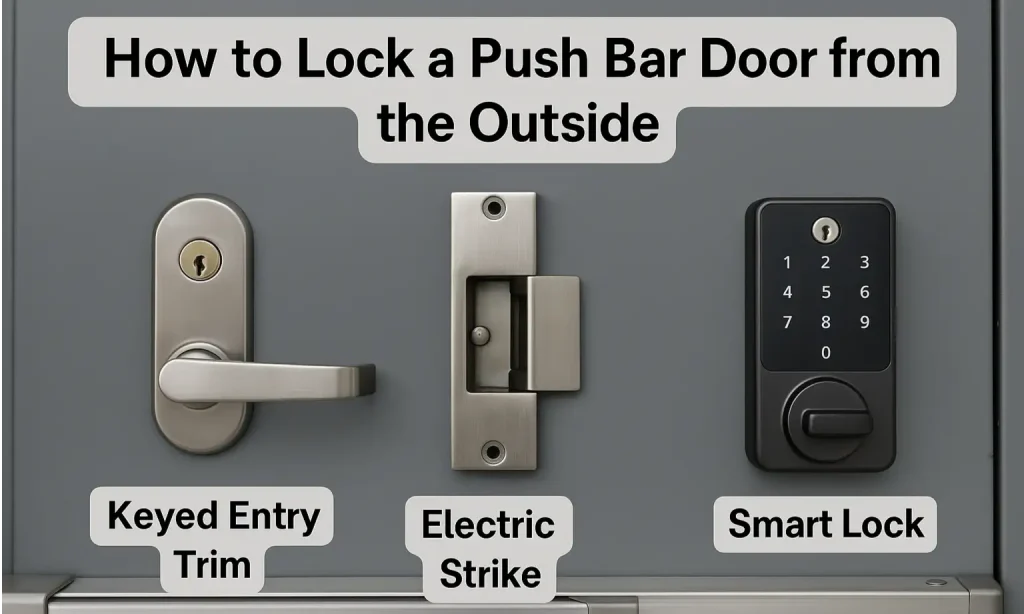
Imagine this: You’ve just stepped outside your home, ready to conquer the day, but there’s a lingering doubt in your mind—did you lock the smart lock? As technology evolves, the simple act of securing your home has taken on new dimensions.
Smart locks offer convenience, yet they can sometimes leave you puzzled about how to lock them from the outside. You might wonder if you’ve used the right app or pressed the right button. Fear not! By the end of this article, you’ll master the art of locking your smart lock from outside with ease.
You’ll gain confidence knowing your home is secure, even when you’re not there. Dive in and discover the simple steps that will transform your smart lock experience from stressful to seamless.
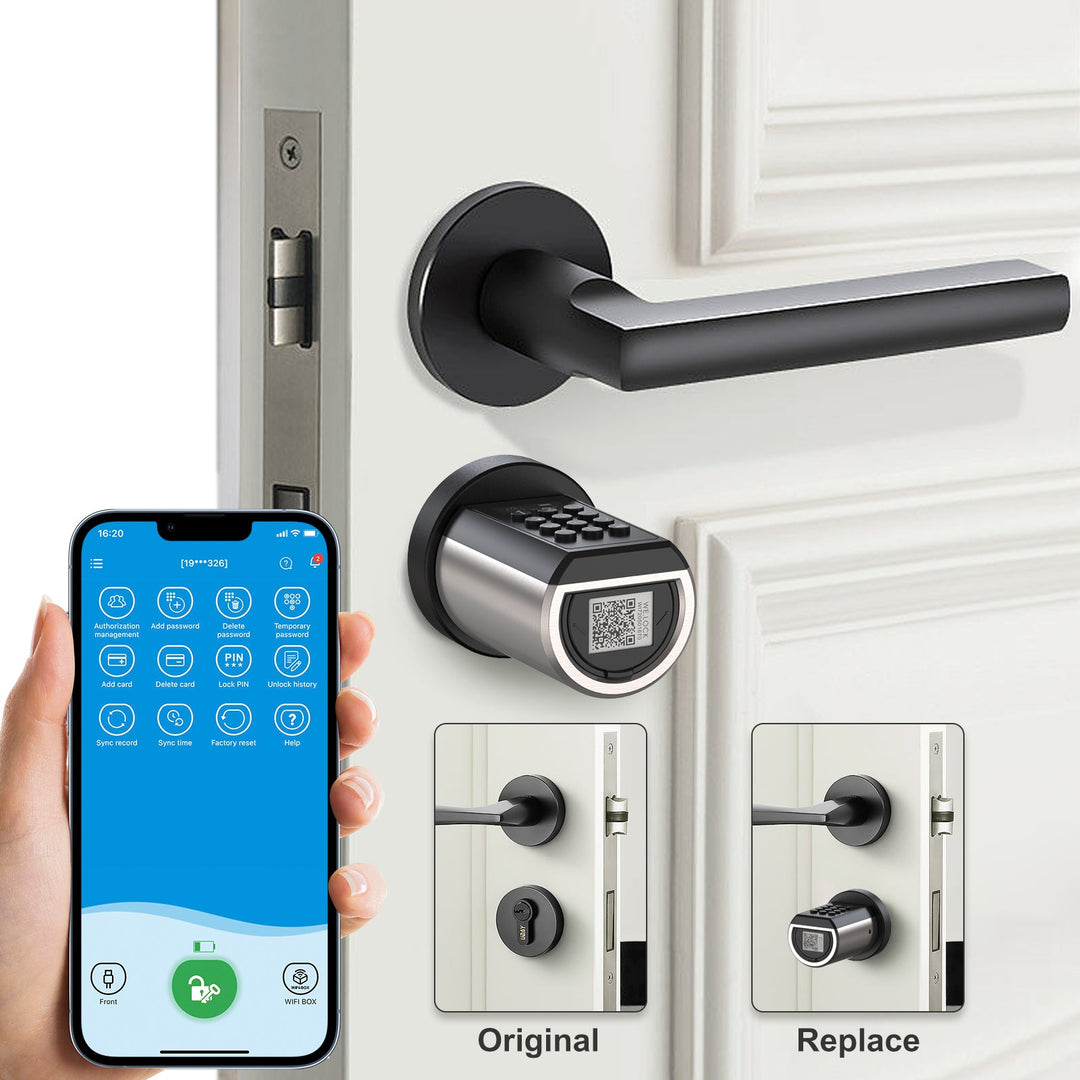
Credit: www.welock.com
Understanding Smart Locks
Smart locks offer convenient ways to secure your home. Use a smartphone app or voice command to lock from outside. Some models have a touchpad or button for easy locking without the need for keys.
Understanding smart locks helps improve home security. These modern devices offer convenience and control. They replace traditional locks, providing a keyless entry system. Let’s delve deeper into what smart locks are and their benefits.
What Is A Smart Lock?
A smart lock is a digital security device. It connects to your phone or a smart home system. You can lock and unlock it remotely. Smart locks use Bluetooth, Wi-Fi, or Z-Wave technology. They offer a keyless entry system for your home. Many models work with voice assistants like Alexa or Google Assistant.
Benefits Of Smart Locks
Smart locks offer increased convenience. You can lock or unlock doors from anywhere. This is useful if you forget to lock up. They also provide enhanced security. Many models send alerts to your phone. You will know who enters or leaves your home. Some smart locks have a built-in camera. You can see who is at your door in real-time. They also allow temporary access codes for guests. No need to hide spare keys under mats anymore.
Types Of Smart Locks
Smart locks are revolutionizing home security, offering convenience without compromising safety. They come in various types, each with unique features catering to different needs. Understanding these types can help you choose the best fit for your lifestyle.
Keypad Locks
Keypad locks are a straightforward yet effective option for securing your home. They allow you to enter a code to unlock the door, eliminating the need for physical keys. You can easily change the code if you suspect someone unauthorized knows it, adding an extra layer of security.
Imagine returning home with your hands full of groceries. A quick tap of your code, and you’re inside without fumbling for keys. Plus, keypad locks often have backlit numbers, making them easy to use at night.
Bluetooth Enabled Locks
Bluetooth enabled locks sync with your smartphone, offering a seamless locking and unlocking experience. As you approach your door, your phone communicates with the lock to grant access automatically. It’s the perfect solution for those who prefer a hands-free approach.
Consider sharing access with family or friends via a mobile app. You can easily manage who enters your home without having to be physically present. But, remember to always keep your phone charged, as it acts as your key.
Wi-fi Connected Locks
Wi-Fi connected locks take smart security a notch higher by allowing remote access. You can lock or unlock your door from anywhere with an internet connection. This feature is ideal if you often forget whether you locked the door or need to let someone in while you’re away.
These locks can integrate with smart home systems, enabling voice commands through devices like Amazon Alexa or Google Assistant. It’s like living in the future, where your voice controls your home’s security. However, ensure your internet connection is stable to avoid any hiccups in access.
Which type of smart lock resonates most with your lifestyle? Whether you prioritize convenience, control, or connectivity, there’s a smart lock designed just for you.
Preparation For Locking
Ensure your smart lock is properly installed and functional. Use the accompanying app to secure your lock remotely. Alternatively, press the designated button on the lock for manual locking.
Preparing to lock your smart lock from outside involves a few critical steps to ensure a smooth and secure process. This stage is crucial as it sets the foundation for effective operation and minimizes the likelihood of potential hiccups. Before heading out, it’s essential to confirm that your smart lock is fully compatible with your home’s door and that you have all the necessary tools at hand. Let’s dive into the specifics.
Checking Compatibility
First, verify that your smart lock is compatible with your door type and existing lock system. This can save you a lot of headaches later on. Check the manufacturer’s guidelines or website for compatibility charts. Consider the lock’s power source. Does it use batteries or is it wired? This might affect the installation and operation. Ensure the technology, whether Bluetooth, Wi-Fi, or Z-Wave, aligns with your home setup. Another key point is the app compatibility with your smartphone. Ensure your phone’s operating system supports the lock’s app. An unsupported app can render your lock useless.
Gathering Necessary Tools
Once compatibility is confirmed, gather all the tools you’ll need for installation and operation. A screwdriver is often essential, but check the manufacturer’s instructions for any specialized tools. Have a smartphone or tablet ready to install and use the lock’s app. This device will be crucial for locking and unlocking the door remotely. Make sure it is charged and updated with the latest software. Don’t forget spare batteries if your lock operates on battery power. This small step can prevent future lockouts. Keep them near the door for quick access. Being well-prepared not only makes the process smoother but also ensures that you can secure your home effectively. Have you checked everything on your list?
Locking Methods
Secure your smart lock from outside using your smartphone app or a voice assistant command. Ensure your device is connected to your home’s Wi-Fi for seamless operation.
Locking your smart lock from outside offers several methods. Each method ensures security and convenience. These methods cater to different preferences and situations.
Using Keypad
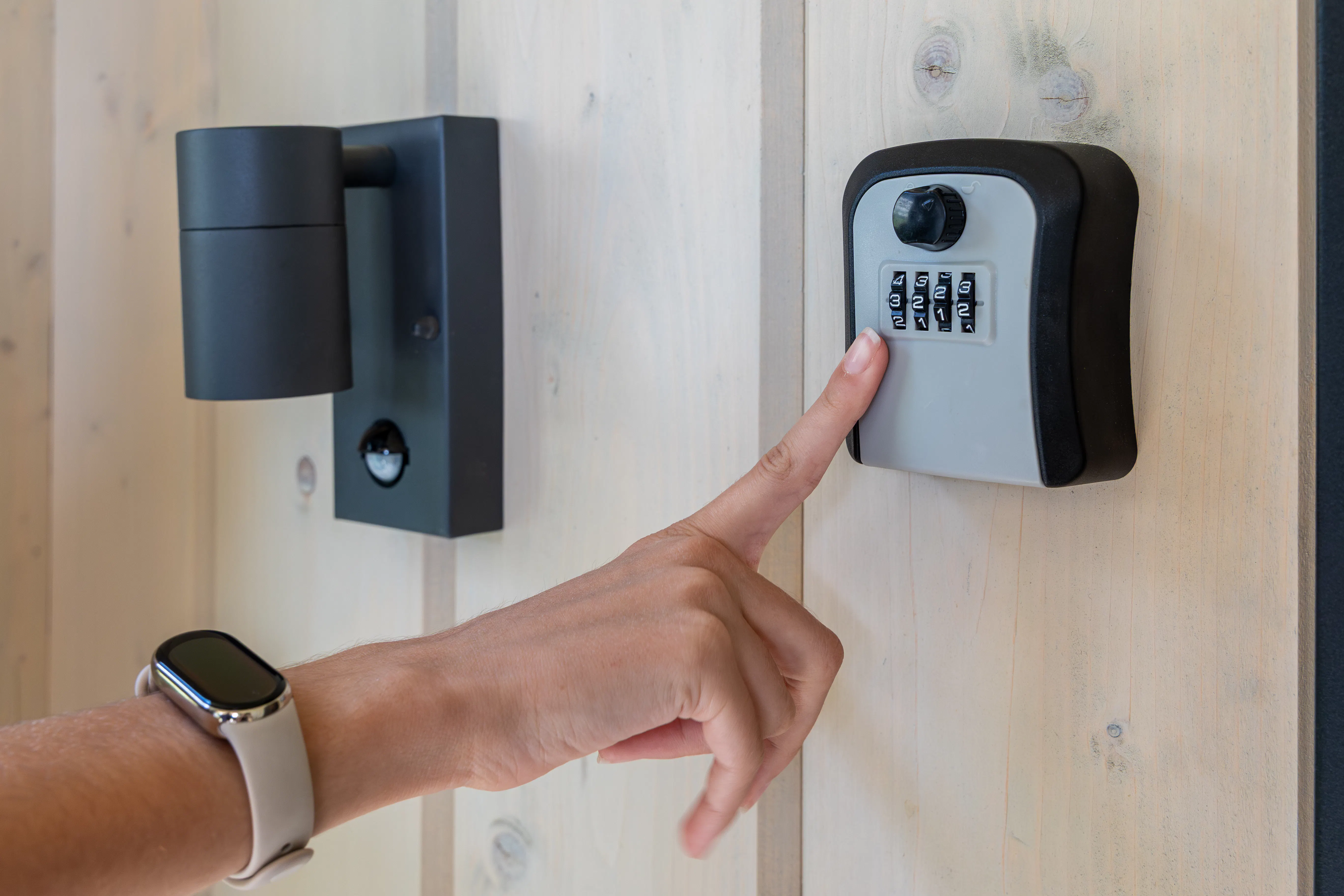
Many smart locks have a built-in keypad. This allows you to enter a unique code. You simply press the correct numbers to lock the door. It’s quick and doesn’t require any devices. Keypads are ideal for families and guests. Just remember to keep your code private.
Using Smartphone App
Smartphone apps connect to your smart lock via Bluetooth or Wi-Fi. Open the app on your phone. Then, follow the prompts to lock your door. This method gives you control even when your hands are full. Ensure your phone is charged for seamless access.
Remote Locking Features
Some smart locks offer remote locking. This uses the internet to control your lock from afar. You can secure your home while at work or on vacation. It’s perfect for those unexpected moments. Check your lock’s compatibility with this feature.
Troubleshooting Common Issues
Locking a smart lock from outside can sometimes be tricky. Ensure the lock has a stable internet connection and check the app settings. Resetting the lock might also solve connectivity problems, ensuring it responds properly when you attempt to lock it remotely.
Troubleshooting common issues with smart locks can save time and frustration. Smart locks offer convenience, but technical hiccups can occur. Understanding these problems helps in resolving them quickly. Below are some typical issues you might face.
Connection Problems
Smart locks depend on stable connections to work properly. Weak Wi-Fi signals can cause trouble. Ensure your router is close enough to the lock. Check if other devices in your home have strong connections. If not, consider upgrading your router or using a Wi-Fi extender. This can improve connectivity. Sometimes interference from other electronics can disrupt signals. Try moving devices that may cause interference.
Battery Issues
Low battery levels can prevent your smart lock from functioning. Check the battery status in the app regularly. Replace batteries when needed to maintain performance. Use high-quality batteries for better longevity. Some smart locks give alerts when battery levels drop. Pay attention to these alerts. Keep spare batteries handy for quick replacements. This ensures uninterrupted service.
App Malfunctions
Smart lock apps can sometimes glitch or crash. Ensure your app is updated to the latest version. Updates often fix bugs and improve functionality. Restart your phone if the app misbehaves. This can clear minor glitches. Reinstall the app if problems persist. This helps in restoring default settings. If issues continue, check the manufacturer’s website for support.
Maintenance Tips
Maintaining your smart lock is essential to ensure it operates seamlessly and securely. A neglected smart lock can lead to unexpected lockouts or security vulnerabilities. By keeping up with regular maintenance, you can extend the life of your lock and enhance its reliability.
Regular Software Updates
Just like your smartphone, your smart lock requires regular software updates. These updates often include security patches and new features that can enhance its functionality. Set reminders to check for updates monthly, ensuring your lock remains secure against new threats.
Manufacturers usually provide update notifications through their apps. Make it a habit to enable these notifications. Ignoring updates can leave your lock susceptible to hacking or performance issues.
Battery Replacement
Smart locks rely on batteries, and keeping them charged is crucial. A sudden battery drain can leave you locked out, so always have spare batteries on hand. Check the battery level indicator in your smart lock app regularly.
- Consider replacing batteries every six months to avoid surprises.
- Use high-quality batteries for longer life and better performance.
Have you ever found yourself locked out because of a dead battery? It’s an unpleasant experience that can be easily avoided with timely replacements.
Security Considerations
When it comes to locking your smart lock from the outside, ensuring security is paramount. Whether you’re protecting your home or office, understanding security considerations can make all the difference. Let’s dive into how you can enhance your smart lock security and prevent unauthorized access.
Enhancing Security Features
Smart locks come with a variety of security features, but are you using them to their full potential? Consider enabling two-factor authentication for an extra layer of protection. This simple addition can deter potential intruders.
Regularly update your smart lock’s software. Manufacturers often release updates that fix security vulnerabilities. Keeping your device up-to-date ensures you’re protected against new threats.
Are you aware of the built-in alarms that some smart locks offer? These alarms can alert you to tampering or forced entry attempts, giving you peace of mind even when you’re away.
Preventing Unauthorized Access
Your smart lock might be secure, but how secure is the access? Consider who has access to your lock and regularly review permissions. It’s easy to forget about shared access with friends or family.
Use strong, unique passwords for any app or account associated with your smart lock. Avoid common passwords and change them periodically to keep your system secure.
Have you ever thought about the physical security of the lock itself? While digital security is crucial, ensuring the lock is installed correctly and using quality hardware can prevent unauthorized access through brute force methods.
By focusing on these security considerations, you can ensure your smart lock offers the protection you need. What steps will you take today to enhance your smart lock’s security?

Credit: www.reddit.com
Credit: www.airdna.co
Frequently Asked Questions
How To Lock A Lock From The Outside?
To lock a lock from the outside, insert the key and turn it clockwise. Ensure the bolt fully extends into the door frame. For padlocks, close the shackle and ensure it clicks securely. Always test the lock to confirm it is secured properly.
How To Lock A Smart Lock From Inside?
Use the manual lock button or turn the thumb turn on the smart lock to secure it from inside. Ensure the door is fully closed before locking to maintain security. Refer to the manufacturer’s instructions for specific details related to your lock model.
Why Won’t My Door Lock From The Outside?
Your door might not lock due to misalignment, damaged components, or a worn-out lock cylinder. Check for obstructions, inspect the lock mechanism, and ensure proper alignment. Consider professional help if issues persist. Regular maintenance can prevent future problems and ensure smooth operation.
How To Stop A Door From Being Unlocked From The Outside?
Use a door chain or slide bolt for extra security. Install a deadbolt lock for better protection. Fit a security bar or door jammer. Try a smart lock with remote control features. Ensure door frame and hinges are sturdy and secure for maximum effectiveness.
Conclusion
Securing your smart lock is simple with these steps. Always ensure you have the app installed. Regularly update your lock’s firmware for safety. Keep your smartphone handy for remote access. Practice using the keypad if available. These tips make locking your smart lock easy and efficient.
Remember, consistency is key. Stay informed about the latest smart lock features. Protecting your home should be a priority. Stay safe and enjoy the convenience of modern technology. Smart locks offer both security and ease. Embrace this technology confidently.


